Spider Impact 5.9: Scorecard Insights and AI Tool Connections
 Scott O'Reilly
October 28, 2026
Scott O'Reilly
October 28, 2026

We're excited to announce Spider Impact 5.9, which brings AI deeper into your strategy than ever before.
This release puts an AI analyst inside every scorecard, connects Spider Impact to ChatGPT, Claude, and Microsoft 365 Copilot, and takes getting data in and out further than it has ever gone, along with improvements across nearly every part of the software.
Connect ChatGPT, Claude, and Microsoft 365 Copilot to Spider Impact
ChatGPT, Claude, and Microsoft 365 Copilot already connect to the software people use at work, such as Google Drive, Gmail, Slack, and Microsoft 365. In Claude, for example, they're listed under Connectors. Now Spider Impact is one of those connections.
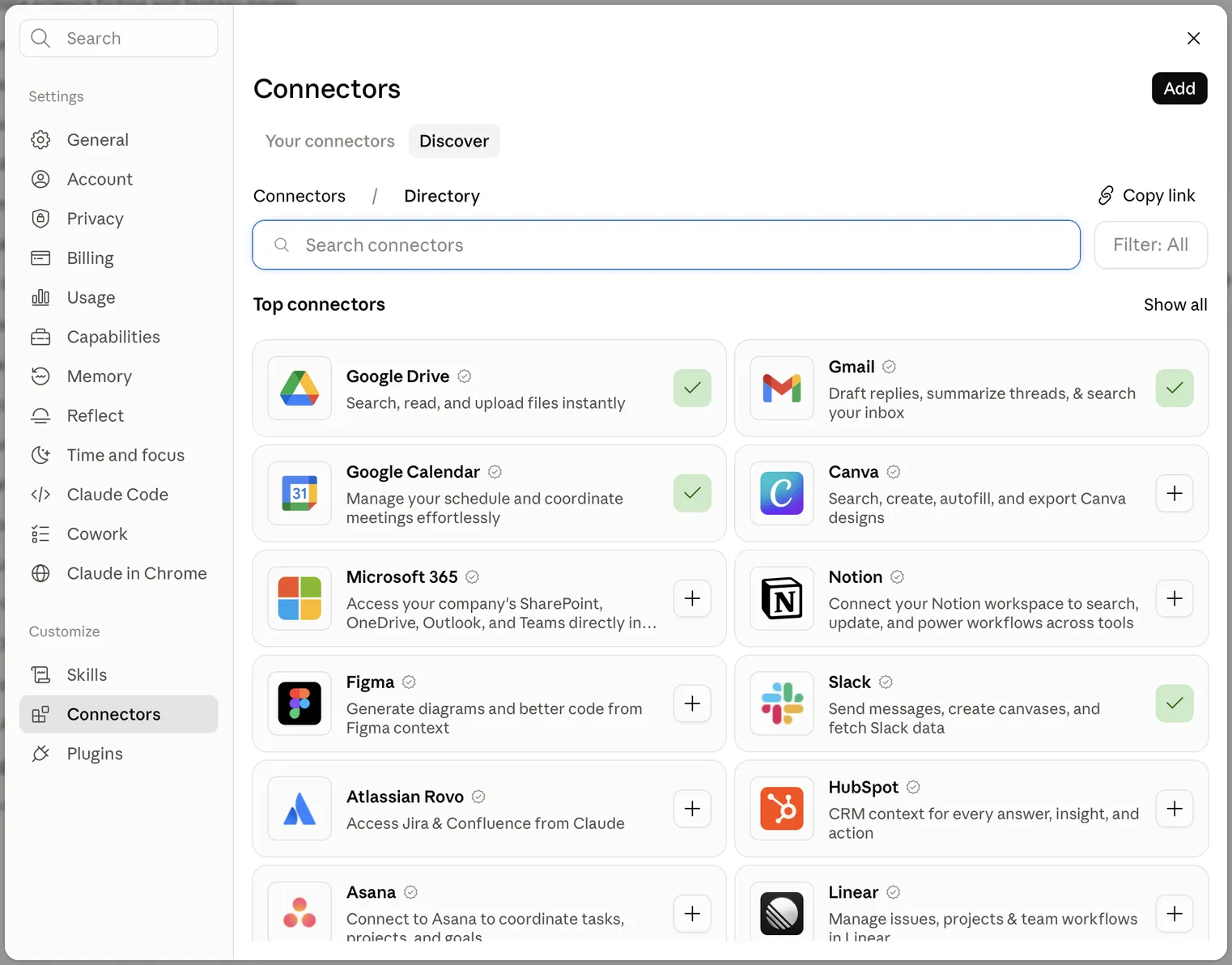
Connect Spider Impact to any of these AI tools, or to another one that supports MCP, the open standard AI tools use to connect to other software. Then ask about your strategy in your own words: how a scorecard is doing, which initiatives are falling behind, or what a dataset shows. The answers come straight from Spider Impact as you ask, so they're always current.
- Each person connects with their own account, so their AI tool sees exactly what they can see in Spider Impact and nothing more
- AI tools can make changes for you, if an administrator allows it: enter KPI values, add KPI notes, record initiative progress, and create KPIs, all recorded under your name
- Administrators stay in control, with separate settings for connecting and for making changes, and a new API Access page that lists every connection and can end any of them
A connected AI tool reads Spider Impact data on a person's behalf, and that data goes to the company that provides the AI tool under your organization's own agreement with them.
Learn how to connect ChatGPT, Claude, and Copilot to Spider Impact.
Scorecard Insights: An Analyst for Every Scorecard
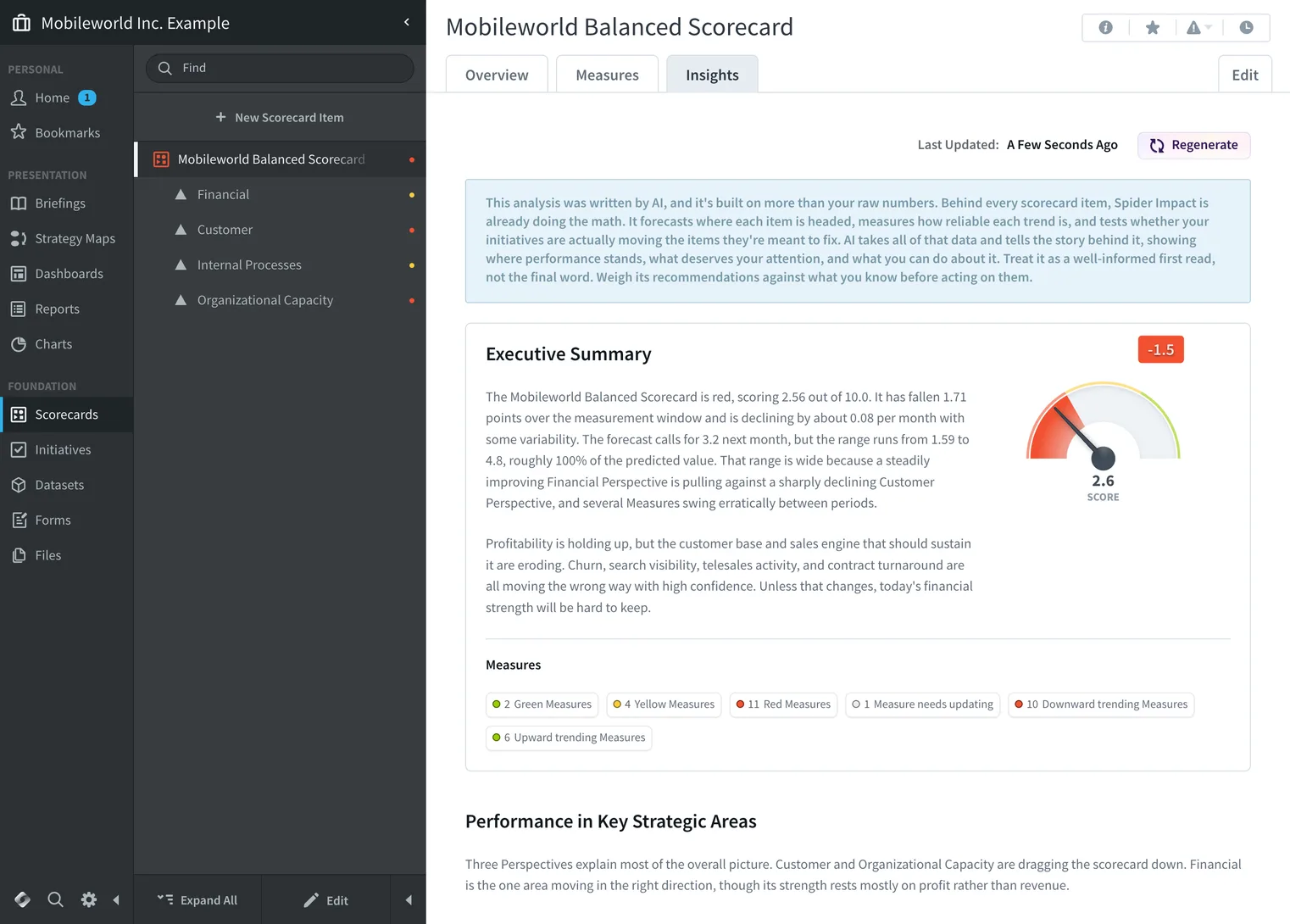
Scorecards have a new Insights tab. Open it and Impact Intelligence reviews the whole scorecard, including every KPI, goal, trend, forecast, and initiative, and writes a strategy audit in plain language:
- Executive Summary: where the scorecard stands, and what that means
- Performance in Key Strategic Areas: the areas that need your attention, and the KPIs driving them
- Key Findings: patterns that are easy to miss when you track KPIs one at a time
- Corrective Actions: red KPIs with no initiative behind them, and initiatives that aren't working
- Recommendations: specific things to do next
Every number comes from Spider Impact's own calculations, not from the AI. Spider Impact computes the scores, values, trends, and forecasts, and the AI decides what's worth pointing out. Every scorecard item the audit mentions is a link straight to that item.
Impact Assistant gets better too. It now stays open in a panel while you work, so your conversation is still there when you come back, and you choose which datasets it can use. Both features run on the latest frontier AI models.
Getting Data In and Out Reaches Further
Spider Impact 5.9 connects to more of the systems your data lives in:
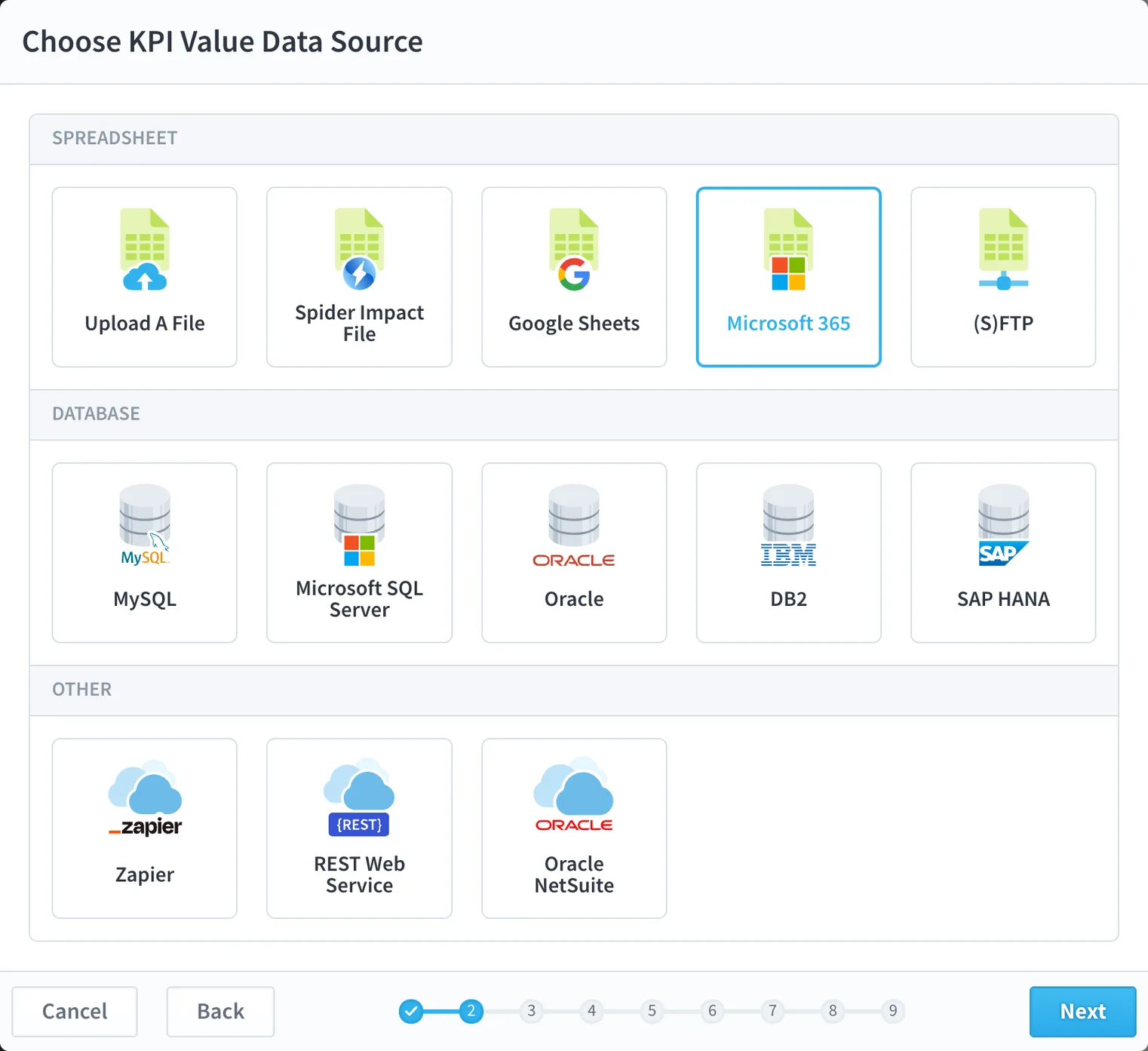
- Microsoft 365 imports: bring in spreadsheets on a schedule straight from SharePoint, OneDrive, and Teams, including Microsoft's government clouds
- Smarter REST imports: follow paginated APIs past the first page, and request rolling date ranges such as the last seven days
- Organization templates: export an entire organization, including scorecards, initiatives, dashboards, reports, datasets, Forms, and Apps, to a single file and rebuild it in another Spider Impact installation
- An open API: the API now covers nearly the whole application, with an interactive explorer and documentation built for both people and AI tools
Platform-Wide Enhancements
Spider Impact 5.9 sharpens much of what you use every day:
Scorecards and approvals:
- KPI values can pass through up to four levels of owner approval, following your real sign-off chain
- Everyone can see how far a value has progressed, and earlier approvers hear about rejections
- A new Single Goal Number scoring type, plus scores shown as a percent of the goal
- Import KPI equations along with your KPIs
Forms and Apps:
- Required fields are marked, and forms can be pre-filled from a link
- Forms reach new data: files, calculated fields, and totals from linked records
- Dropdowns offer only the choices that fit, and record lists remember your search and sort
- Drilldowns stay inside your App, and you can export from inside an App
Dashboards, reports, and datasets:
- Shape widgets can count scorecard items, such as the number of red KPIs
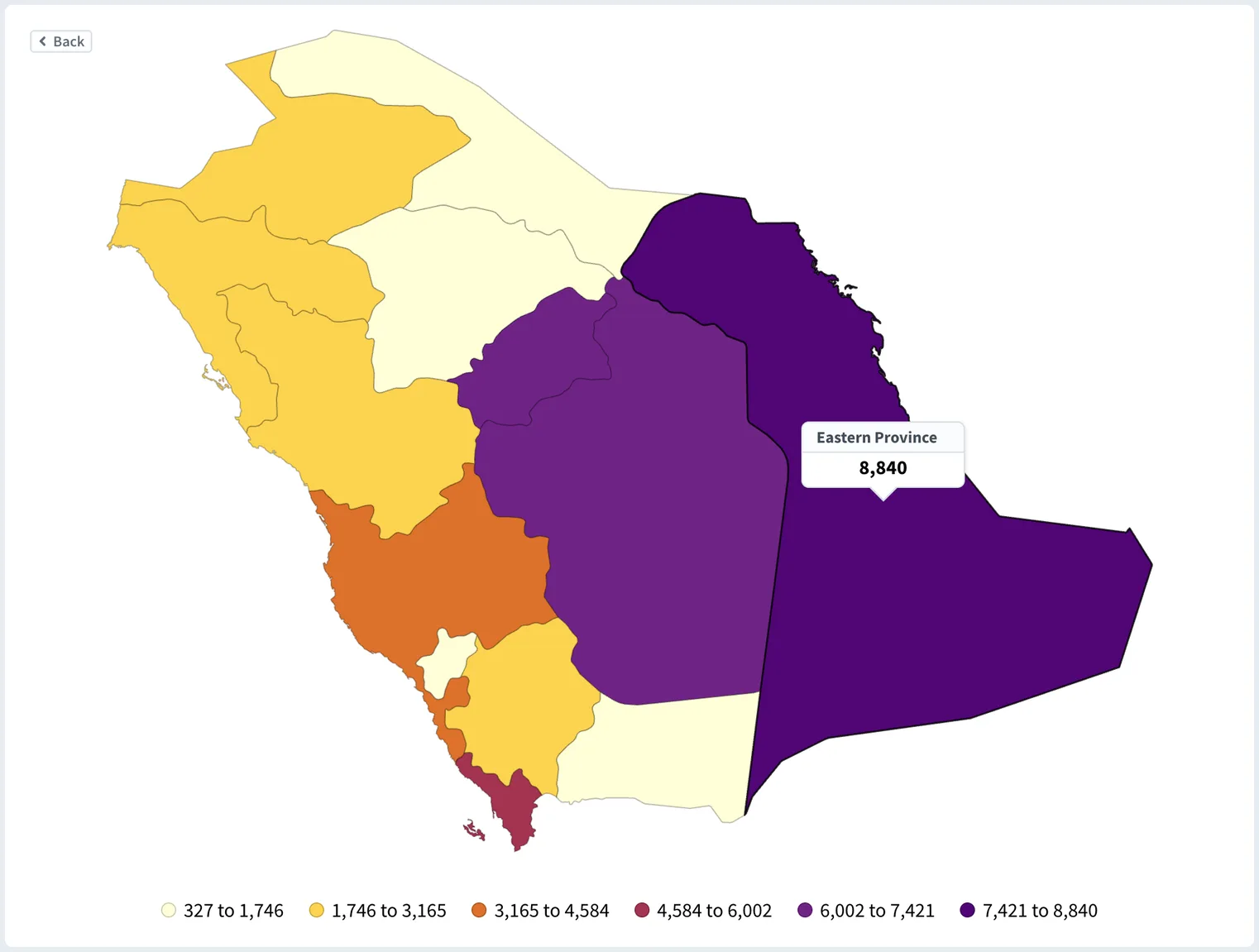
- Maps drill down to the cities of Saudi Arabia and the UAE, add Canadian postal codes, and understand more of the ways people write place names
- Report headers stay on screen as you scroll
- Dataset filters can use linked datasets, and large datasets export to CSV
Security and administration:
- Search forgives typos
- One permission can match records to thousands of record owners
- View Only users can keep bookmarks
- Audit history captures far more, from KPI approvals to permission changes
- A much more accessible application
Ready to Learn More?
We've got fully interactive documentation available in our knowledge base. To help you discover everything Spider Impact has to offer, we also have free training videos on our website.
If you want to maximize your return on investment, we offer paid formal training courses and dedicated consulting engagements.
To see everything that's new in Spider Impact 5.9, download the "What's New in 5.9" guide, or watch the video tour:
About Spider Impact
Spider Impact empowers organizations with six key advantages:
- Strategy Execution: Align everyone toward a shared strategic vision with measurable goals
- Strategic Initiatives: Track initiative performance and optimize resource allocation
- Meetings Reinvented: Transform every meeting into a data-driven decision-making interaction
- Business Intelligence: Combine strategy execution with powerful data visualization and analytics
- Data Governance & Security: Maintain granular control over performance data access and security
- AI & Automated Insights: Turn questions into insights, receive proactive alerts, and uncover trends to drive smarter action
Stay connected with us for the latest product updates, strategy insights, and success stories. Follow Spider Strategies on LinkedIn, X, Facebook, Instagram, and YouTube.


Demo then Free Trial
Schedule a personalized tour of Spider Impact, then start your free 30-day trial with your data.